Features
What OneLink actually does.
It’s a link-in-bio page that keeps itself up to date, plus recommendations that grow your list, a shop, bookings, events, sign-ups, and insights you don’t lose. Each part has a short video if you’d rather watch than read.
Links and feeds
Paste a link. Or connect a feed and stop updating by hand.
Drop in a newspaper story, a magazine piece, a Substack or Beehiiv issue, a YouTube video, an Instagram post, whatever you’ve got. OneLink grabs the picture and headline the page already shares and turns it into a tile. Connect your site once and new stories show up on their own.
- Feeds from Substack, Beehiiv, Medium, WordPress, YouTube, or pretty much any newspaper or magazine site.
- A new post appears the next time someone opens your page. No button to mash.
- Group tiles under headings, or turn sections into tabs.
- Pin something, schedule it, stick a price on it, mark it Available or Sold.
- You never hand over an Instagram login.
Recommendations
Grow your list with the pages you recommend.
Add up to six OneLink pages you rate, with a short line on why. When someone joins your email list, they see those pages, each with a box to tick, and join the ones they pick in one tap, without typing their email again. When those pages recommend you, their new subscribers can join yours.
- The kind of Recommendations network newsletter writers know from Substack and Beehiiv, built into your link in bio.
- When you recommend someone, we tell them, and they can recommend you back in one click.
- Insights counts the subscribers and visitors you send each other.
- New to OneLink? Start with people you know: your invite link recommends them the moment they make a page.
- Recommend a Substack or website too. It shows as a link until its owner joins.
- List your page in the directory so new people can find you.
How recommendations work · Watch: Grow your list with recommendations
The Slow Week
One calm email every Sunday.
You’re on the list.
You might also like
Tick any you’d like to join too.
Your shop
Connect the shop once. Products show up by themselves.
Paste your Shopify or e-commerce store address. OneLink pulls each product in with its photo and price, and links straight to where people buy it. Add something new in your shop and it lands on your page the next time someone visits. Sold out? It gets a Sold label. Take a product down and it comes off the page too.
- Works with Shopify and WooCommerce stores.
- Bring in the whole shop, or just one collection (Prints, say).
- Prices stay in your shop’s currency.
- On Pro and above.
Mira Ortiz
Ceramics and small-batch prints from my studio in Oakland.
Shop
Sections as tabs
Every section, one tap away.
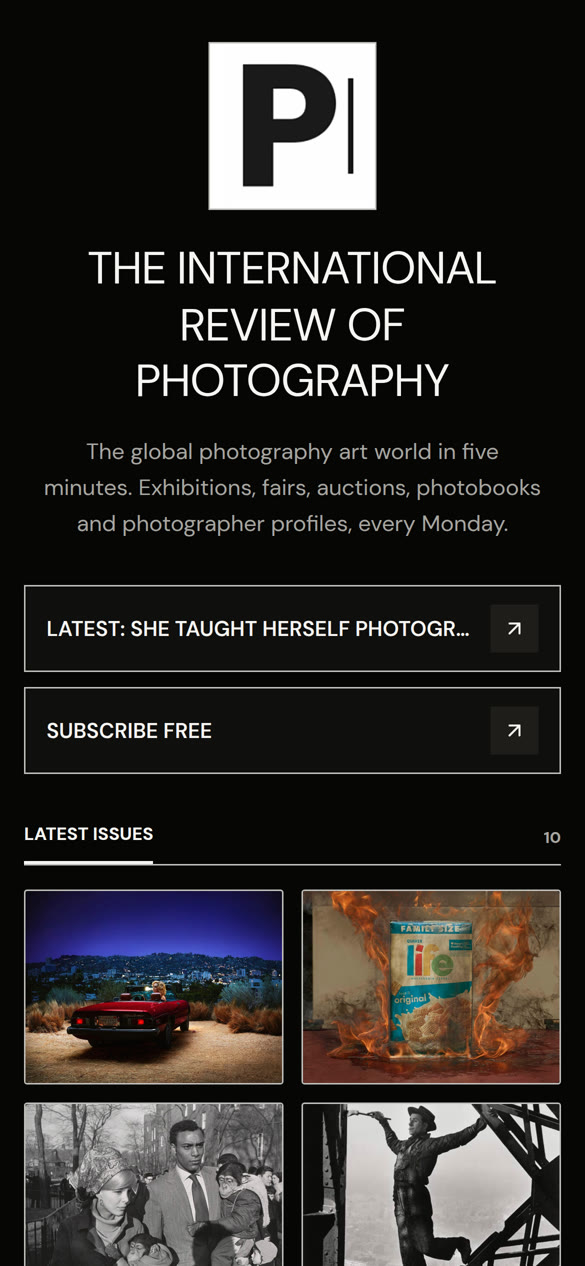
Papers and magazines aren’t one pile of stories. Turn yours into a tab bar so people can jump to Culture, Ideas or Opinion without scrolling past everything else. The bar picks up your design and stays put while they scroll. The three below are live, so tap them.
Broadsheet and Gallery. Section names on a double rule, with a story count under each.
Like a printed paper.Noir, Studio, Lime and Vista. Pill chips with a count. The active one fills with your accent color.
Feels like a news app.Zine and Poster. File-folder tabs on a paper sheet. The open one lifts into the stories.
For a magazine with a bit of attitude.It’s one switch in Settings. You can link straight to a section with onelinkin.bio/you?s=culture.
Designs
Twenty-eight designs. Each one changes how the page feels.
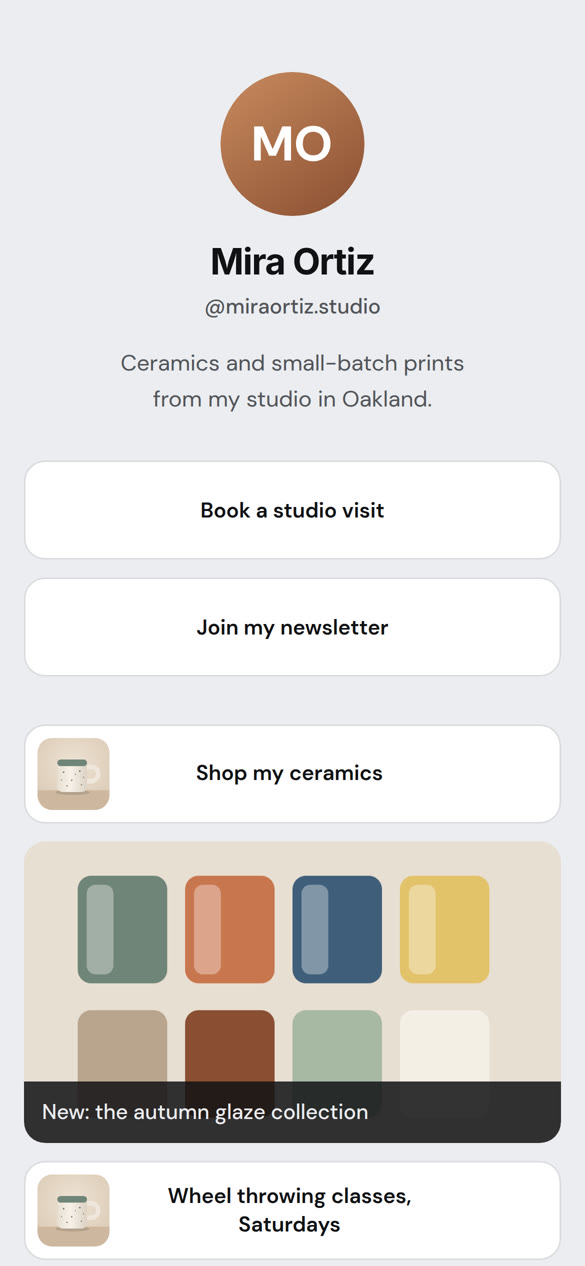
Pick a design and the layout, typeface and spacing all shift with it. Six of them are the classic link page: photo, name, stack of buttons. Add a cover photo across the top, paint the background any color, or drop your own photo behind it. Tap one to try it live.
Design NoirType DM SansGrid 3 columnsButtons outlined
Each design brings its own type
From a Futura-style geometric to a newspaper serif. Change it in the dashboard and the page follows.
Music, podcasts and video
Play it right on your page.
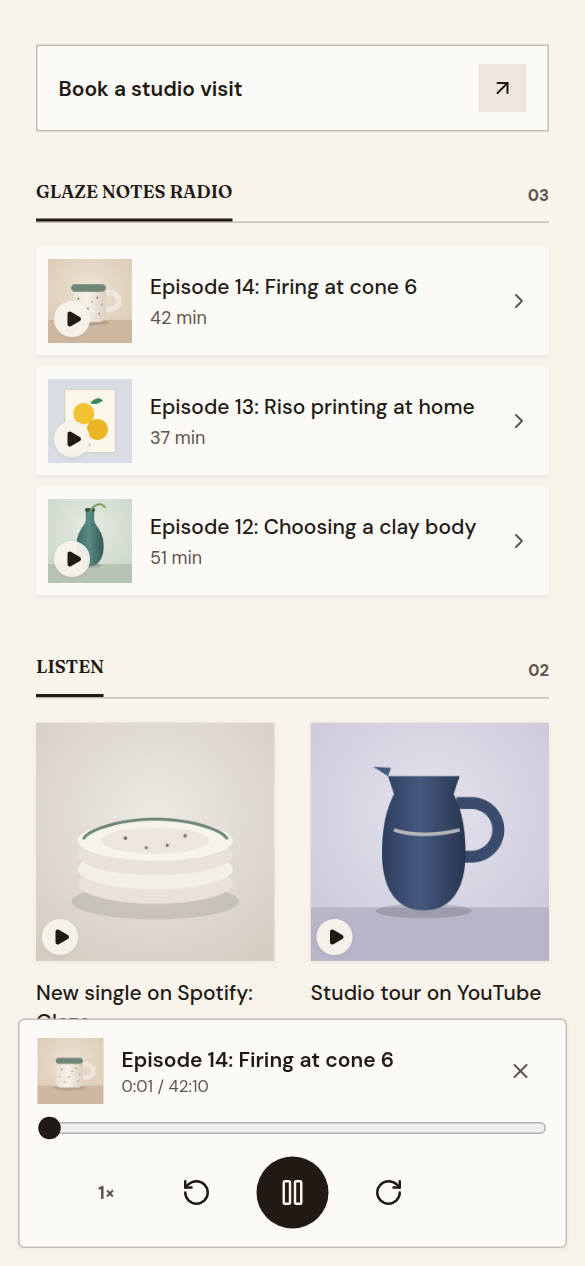
Paste a Spotify, Apple Music, SoundCloud or YouTube link, and visitors listen or watch without leaving your page. Connect your podcast and every new episode shows up with its artwork and a play button.
- Spotify, Apple Music, Apple Podcasts, SoundCloud, YouTube, Vimeo and Mixcloud.
- A small player for podcast episodes, with speed and skip buttons.
- Choose for each tile: play on your page, or open in the app.
- Plays show up in Insights.
Book a call
Let people book you from the page.
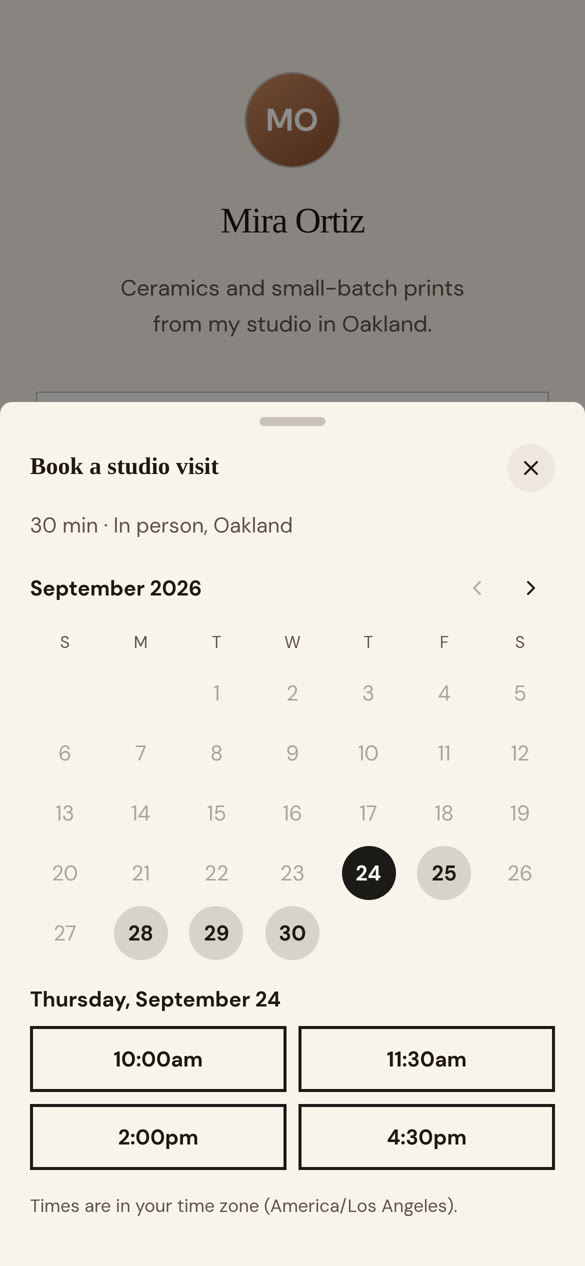
Add a booking card. When someone taps it, the calendar slides up in your page’s design. Use OneLink’s calendar, or stick with Calendly, Cal.com, Google Calendar, Acuity or TidyCal if that’s already your setup.
- Set your hours once. Visitors see them in their own time zone.
- You both get an email with a calendar invite. Guests can cancel from theirs.
- Video, phone or in person. Your meeting link only goes to people who book.
- Your own booking tool works on every plan. OneLink's calendar is on Pro.
Events and RSVPs
Events people can say yes to.
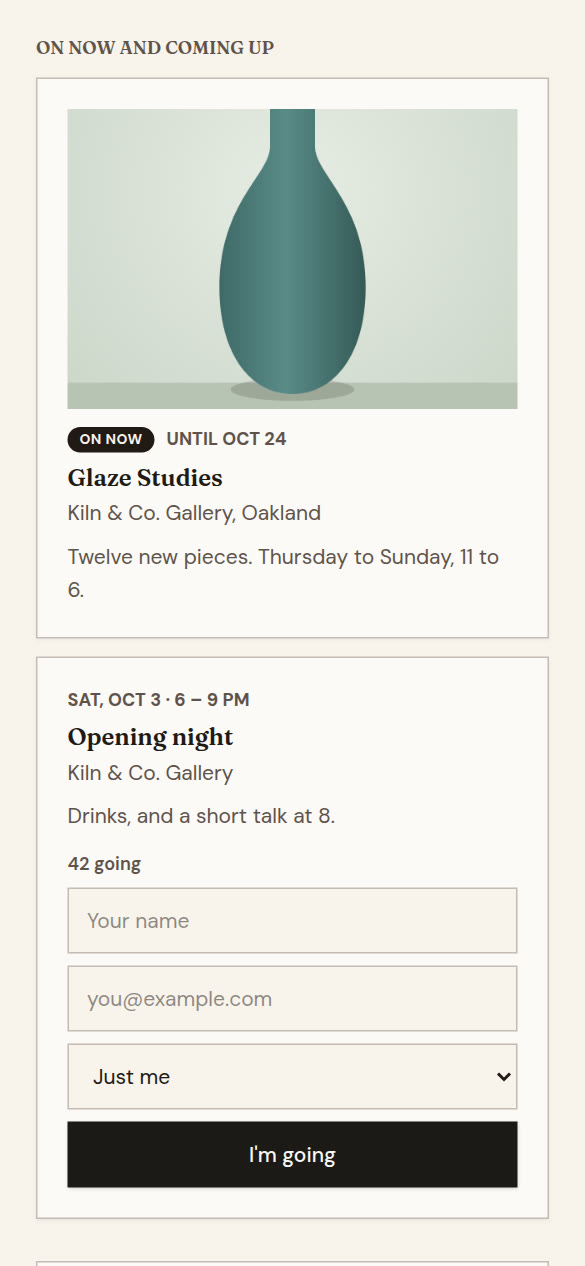
Add an event and visitors tap “I’m going.” They get a calendar invite and a reminder the day before. You get an email for each one, and a list you can export.
- Set a limit, and the waitlist fills any spot that opens.
- Let people bring guests.
- Show how many are going.
- Exhibitions with opening and closing dates, marked “On now” while they’re open.
- Also on your page: an email sign-up box, a message box, one-tap WhatsApp, call and text buttons, and a QR code.
Insights
See which post did the work.
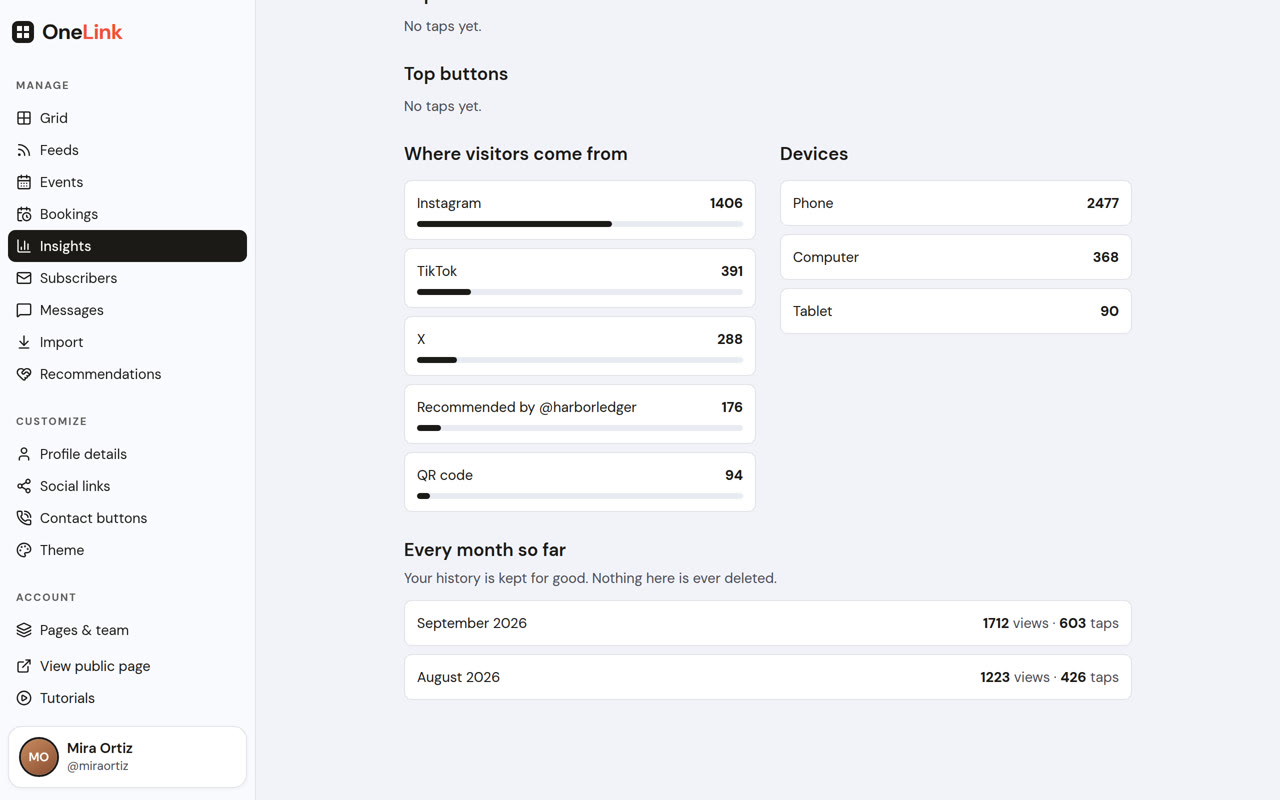
Views, taps and tap rate for every tile and button. The last fourteen days up top, every month since you started underneath. We don’t delete any of it.
- A link for each place you post, like onelinkin.bio/you/ig, /tiktok, /threads, /x, /bsky or /li, so you know where people came from.
- A link that always opens your newest post. Handy for a pin.
- A share link for every tile, with its own picture when you post it.
- Turn a story into a LinkedIn carousel: a PDF with its picture, headline and opening lines, ending on your onelinkin.bio/you/li link so Insights counts LinkedIn. On Pro.
- Referrers and devices (yes, Instagram on a phone).
- A summary email every Monday, or once a month. On Publisher and above, send it to editors or clients too.
- Your own Google Analytics and Meta Pixel on Pro, with a consent banner where you need one. Tracking tags on links name the platform.
Watch: A different link for each place you post · Read your insights
Move over
Bring your old page across with one click.
Paste your Linktree, Beacons or Lnk.Bio address. Name, bio, picture, socials and every link come over, in the shape they already had. Most other link pages work too.
For publishers and agencies
Several pages, a team, your own domain.
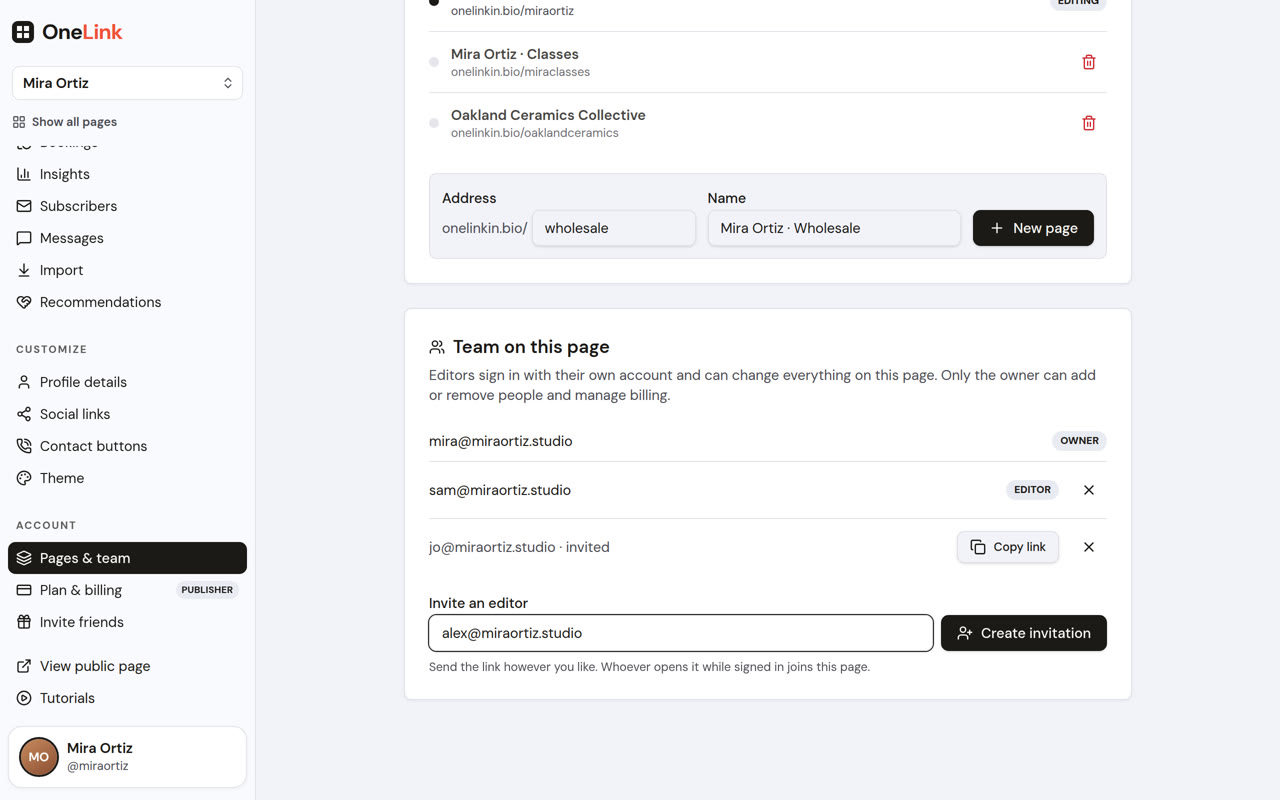
Publisher runs up to ten pages under one account: a section each, a page per columnist, or one per client. Invite editors with their own logins. Serve any page from your own address, like links.yourpaper.com.
- Feeds also get checked every fifteen minutes in the background.
- Add and remove pages as titles and clients come and go.
- Pay by card, or by invoice with thirty days to pay.
For newsrooms
Many pages, many hands, and nothing goes live by accident.
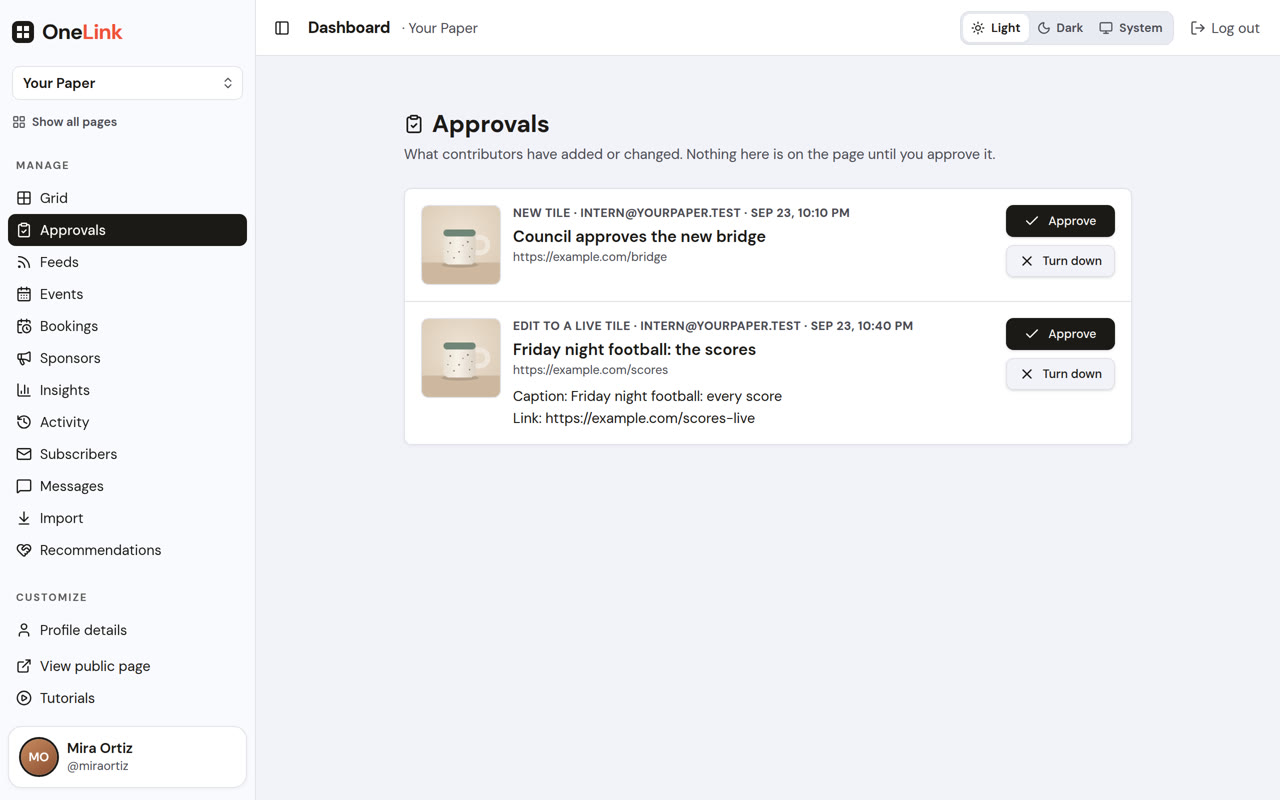
Newsroom runs up to fifty pages. Give people roles. Let contributors draft stories that wait for an editor. See every change in the activity log.
- Admins, editors, contributors, viewers. Subscriber lists stay with the people who need them.
- Put a breaking story on every section page at once, and have it come down on time.
- One brand across every page, locked so nothing drifts.
- Feed rules, like only Sport on the Sport page, or no sponsored posts on Instagram.
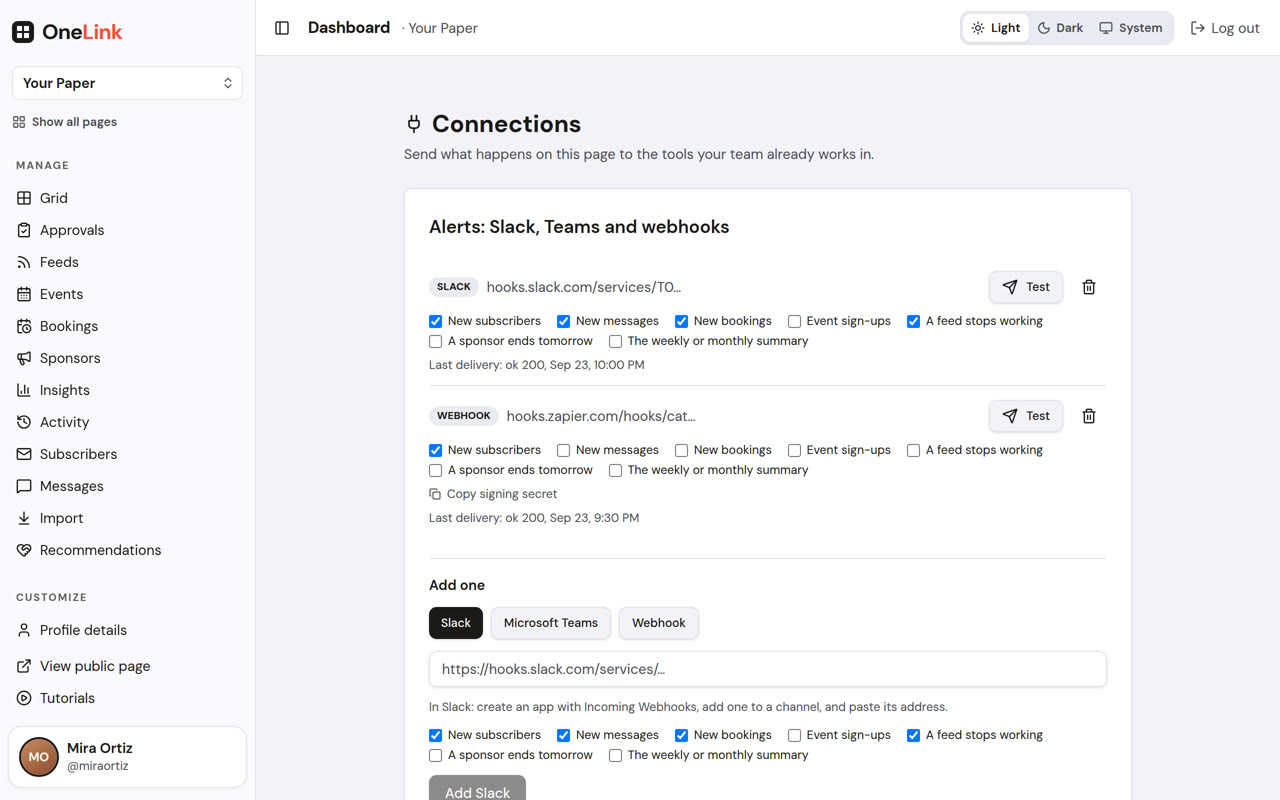
- Alerts in Slack or Teams, webhooks for Zapier, a weekly spreadsheet.
- Adobe Analytics, Chartbeat and Parse.ly alongside Google and Meta.
Enterprise
For large publications and brands.
Everything in Newsroom, for as many pages as you run, with company sign-in, sign-ups pushed to your CRM, and the paperwork a security team will ask for.
- Sign in through Okta, Microsoft Entra ID or Google Workspace.
- New subscribers go to Salesforce, HubSpot, Braze, Iterable, Sailthru or Piano, tagged with the page they came from.
- Sponsor packages across several pages, with one report for the sponsor.
- A data processing agreement, invoices, purchase orders, and a named contact.
Sponsors
Sell a spot at the top of your page.
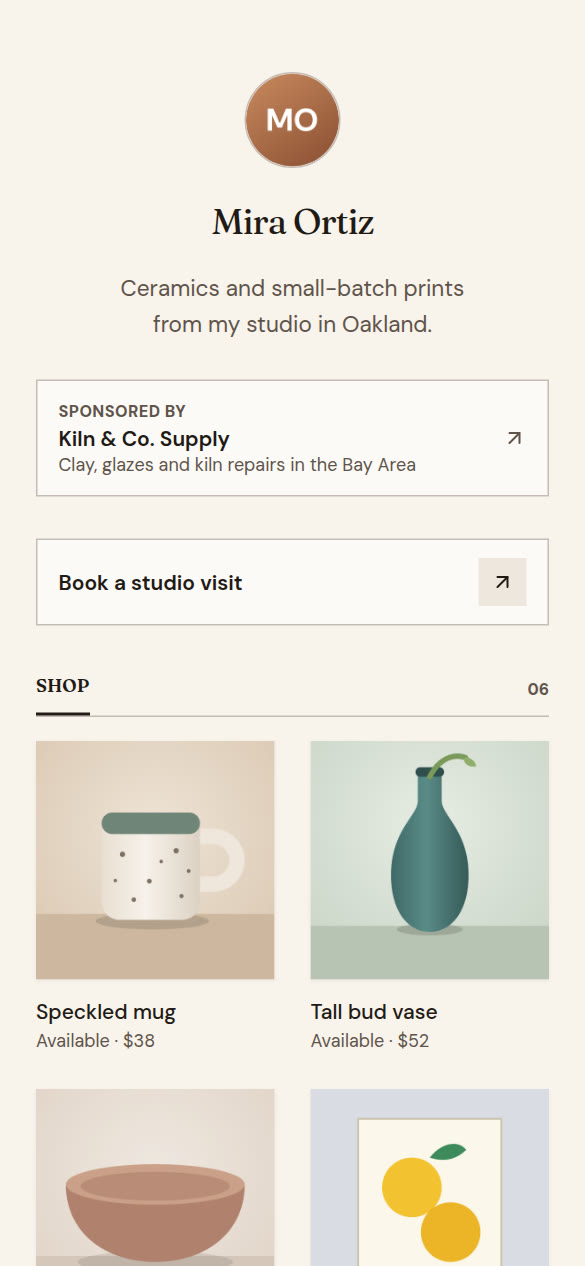
Newsletters and publications already sell sponsorships. Your link in bio can be another place for one. Add the name, logo and link, pick the dates, and they sit at the top until the run ends, clearly labeled.
- Sponsored by, In partnership with, or Presented by. The label always shows.
- Book a day, a week or a month ahead. It goes up and comes down on its own.
- A report link for the sponsor: views while it ran, taps, where visitors came from.
- On every paid plan. On Enterprise, one sponsor can run across several pages with one report.
Invite friends
Invite friends. Get free months.
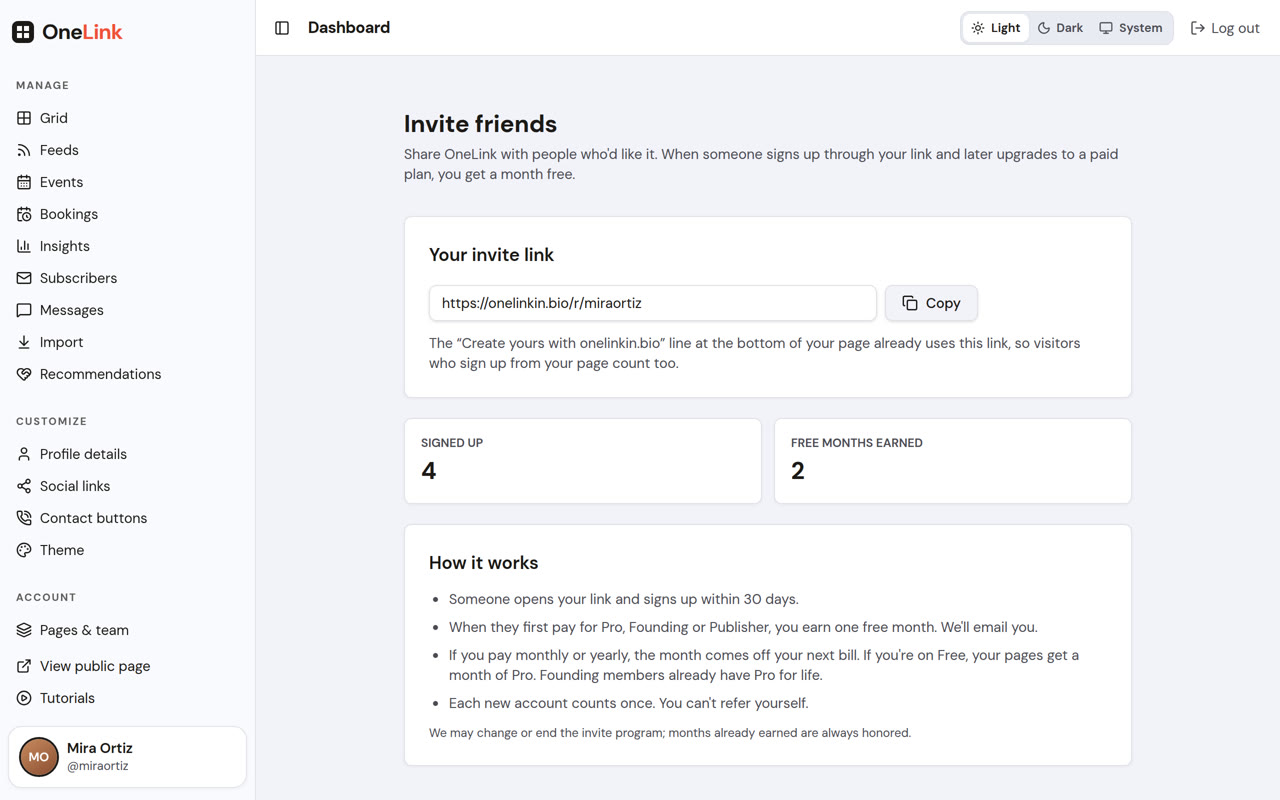
Share your invite link. When someone signs up through it and later picks a paid plan, you get a month free. The “Create yours” line at the bottom of your page uses your link too.
- On a monthly or yearly plan, your next payment moves back a month.
- On Founding, a month of Publisher. On Free, a month of Pro.
- Up to twelve free months a year.
Make your page today.
Paste a few links, put the address in your bio, and you’re done. Connect your site and it stays up to date on its own.
Free to start. Nothing to install, and nothing for Instagram, Substack, Beehiiv or anyone else to approve.